Business Phone Numbers | Hawkeye Digital AI
Business Phone Numbers

OUR BUSINESS PHONE SYSTEM

Your Calls. Your Team. Your App.

An easy-to-use, professional phone system built for the office, the field, or wherever business takes you.

Get a dedicated local phone number without adding another physical phone. Make calls, send texts, manage contacts, review conversations, and communicate with your team from one business app on your phone or computer.Whether you work alone or manage a growing team, everyone can stay connected while keeping personal phone numbers private.

Business phone system connecting office and field professionals
Unlimited NumbersAdd As Needed
Unlimited Team MembersStay Connected
Business Calls & SMSOne Business App
Contacts & Mini CRMStay Organized

LOCAL BUSINESS PRESENCE

Step 1 - Get A Local Business Number

Give customers a professional number they’ll recognize.

Choose a business number with your local area code or select an area code from another market you serve. Add additional numbers as your business expands into new locations, departments, or service areas.Your business number works through the app, allowing you to make and receive business calls and text messages without using your personal number.

Choose Your Area Code
Add Numbers As Needed
Add Team Members
Business Calling & Texting
Business team members using connected local phone numbers

CALL SETUP & CONTROL

Step 2 - Set Up Your Phone System

Decide how your business calls should be handled.
(1:1 Onboarding & Setup)

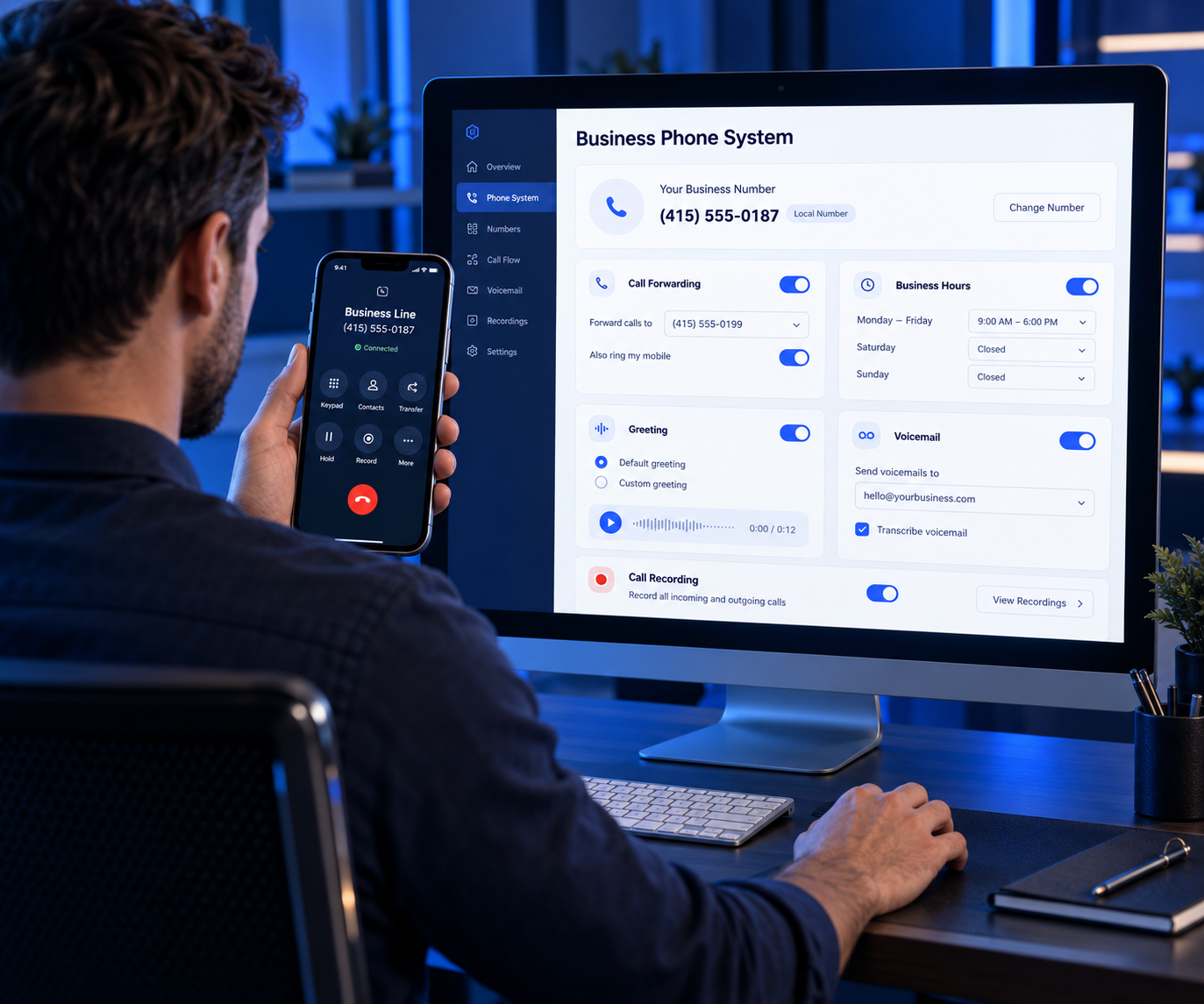
We help you configure your business number around the way you operate. Forward incoming calls to the right person, set business hours, create a professional greeting, receive voicemail messages, and enable call recording when needed.Your calling history, text conversations, recordings, voicemail, and customer details remain organized inside the business app.

Call Forwarding
Business Greetings
Voicemail Management
Call Recording
Set Up My Phone System
Business owner configuring the phone system on a computer and mobile phone
Connected business team using the shared phone system

CONNECTED BUSINESS TEAM

Step 3 - Add Your Team Members

Keep your office and field teams connected.

Add as many numbers as your team needs. Team members can use the app from their phone or computer to handle business calls, send customer text messages, view contact information, and communicate with other team members.The built-in contact system gives your team one place to see customer information and conversation history. Internal messaging keeps everyone connected without mixing business communication with personal messages.

Unlimited Team Members
Shared Customer Contacts
In-App Team Communication
Mobile & Desktop Access
Connect My Team

How We Work

A Simple Way to Set Up Your Business Phone System.

Simple Systems.
Real Growth.
Built for Local Businesses.

1
Choose Your NumberSelect a local area code or another market.
2
Set Up Your CallsConfigure forwarding, greetings and voicemail.
3
Connect Your TeamManage calls, texts and contacts together.
One professional business phone system. Wherever your team works.

Built For

Owners And Teams On The Move

Whether you run the business yourself, manage an office team, coordinate employees in the field, or work across multiple locations, your business phone system keeps everyone connected.

More Professional More Connected More Organized

Ready to Start Using Our Business Phone System?

Get a professional business number, connect your team, and manage your calls, texts, contacts, and communication from one easy-to-use app.

© 2026, Hawkeye Asset Management LLC

Hawkeye Digital AI is a division & brand of Hawkeye Asset Management LLC.

You will be billed by Hawkeye Asset Management LLC for all snapshots and or services.

Privacy Policy | Terms of Service

This website is not affiliated with, endorsed by, sponsored by, or officially connected with Facebook, Meta Platforms, Inc., Google, YouTube, Instagram, LinkedIn, TikTok, X, or any other third-party platform mentioned on this site.

All trademarks, logos, and brand names are the property of their respective owners. Any references to third-party platforms are for informational, educational, or compatibility purposes only.

Results shown or discussed on this website are not guaranteed. Your results may vary based on your business, market, offer, audience, implementation, consistency, and other factors outside our control.

We do not make any earnings, revenue, lead generation, traffic, follower growth, or business performance guarantees. Any examples, testimonials, or case studies are not intended to represent typical results.

By using this website, you understand that any training, tools, templates, strategies, or services offered are for educational and business development purposes only.

We do not guarantee specific results, earnings, leads, followers, traffic, revenue generation, or business growth. We make no claims regarding your ability to generate revenue, income, sales, profits, or financial results from using our training, tools, templates, strategies, or services.

Results vary based on many factors including your offer, market, implementation, audience, consistency, and business operations.

For more information contact:

[email protected]